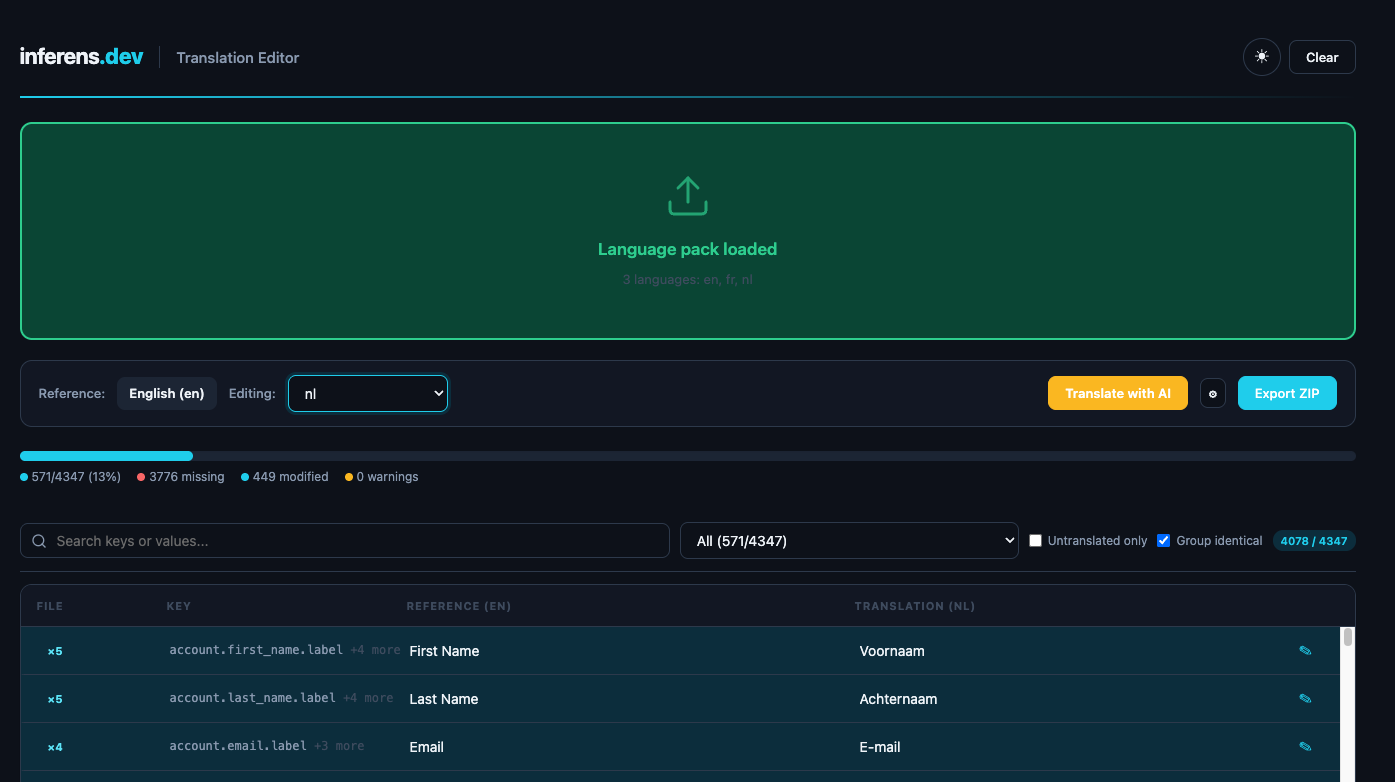
Most Chargebee teams manage translations in Excel. Broken placeholders, missed keys, wrong file structure — and none of it catches errors before upload. The Translation Editor fixes that: import your ZIP, translate side-by-side, validate inline, and export a clean pack.
For localization leads, RevOps, and devs maintaining multi-language Chargebee billing UIs.
Free. No signup. Runs entirely in your browser.
How it works
Go to Settings → Configure Chargebee → Languages and download your language pack as a ZIP.
Drag and drop the ZIP file. The editor auto-detects locales, tiers, and file structure.
Translate side-by-side with English as reference. Use AI for bulk translation. Fix warnings inline.
Download the updated ZIP and re-import into Chargebee. Same format in, same format out.
Features
English reference on the left, target locale on the right. Edit inline with keyboard navigation. Auto-saved to your browser.
Bulk-translate missing keys using the Claude API. Context-aware results matched to your existing terminology.
Catches duplicate keys, placeholder mismatches like missing {name} tokens, and strings over 500 characters.
Group keys sharing the same English value. Edit once, update everywhere. Flags conflicting translations across the pack.
Per-tier progress bars for Mandatory, Optional, and Internal strings. Color-coded indicators at a glance.
Everything runs in your browser. No server, no uploads. Edits persist in localStorage across sessions.
Details
Works with Chargebee's standard language pack ZIP format. CSV files organized in Mandatory, Optional, and Internal tiers. What you export is what the editor expects.
Follows your system preference by default with a manual toggle. Because translation is often a long session and staring at a bright screen for hours is no fun.
The entire editor is one HTML file. No build step, no dependencies to install, no server to run. Open it in a browser and start translating. Host it anywhere.